
Make your own overlay in 5 steps
- Pick the overlay you want to change.
- Download the source ZIP, unzip it, and copy that overlay's HTML file.
- Edit the copy yourself, or ask an AI tool to.
- Open your copy in OBS with your SSN session settings added to its address.
- Test it with the overlay's real trigger.
Pick the overlay to change
You can change an overlay's colors, fonts, layout, artwork, and motion. The HTML file is the page. The OBS URL points to it and adds your session and display settings.
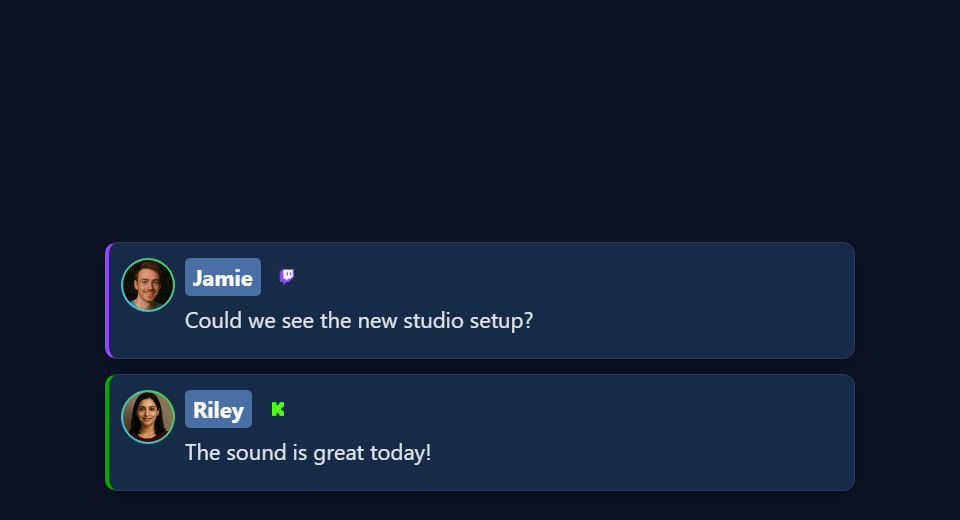
Each overlay type listens for different things. A chat page, a featured-message page, and a poll don't use the same input. Open the design guide for the one you use:
| Design guide | Starting files | What drives it |
|---|---|---|
| Chat and Dock | sampleoverlay.html, dock.html, themes/* | Every captured chat message |
| Featured messages | featured.html, samplefeatured.html, themes/featured-styles/* | Selected messages and clear commands |
| Alerts and event feeds | multi-alerts.html, events.html, themes/events/index.html | Matching events / paid chat rows |
| Graphical polls | poll.html | Votes plus host poll settings |
| Tip jars and goals | tipjar.html | Configured support/count/Hype metric |
| Counters and rankings | hype.html, meta.html, leaderboard.html, scoreboard.html | Counts, metadata, activity, or point snapshots |
| Waitlists and queue draws | waitlist.html | Host queue and winner state |
| Giveaway displays | giveaway.html, giveaway-obs-entries.html | Managed giveaway state or legacy entry feed |
| Timers | timer.html | Timer state and controls |
| Tickers | ticker.html | Configured ticker content |
| Word clouds and maps | wordcloud.html, map.html | Matching words or location entries |
| Reactions and media effects | reactions.html, emotes.html, content.html, gif.html, confetti.html, stickers.html, actions.html | The page's specific media/event/action trigger |
| Credits | credits.html | Collected participants and credits controls |
| Music and AI displays | spotify-overlay.html, cohost-overlay.html, bot.html, chatbot.html | Now-playing or bot/cohost updates |
| Products and boards | monetization.html, commerce-board.html, shop_the_stream.html | Shared commerce state |
| Games and rewards | games/*, games/templates/*, games.html, battle.html | Game-specific chat, gifts, and commands |
| Generated AI overlays | aioverlay.html, aievent-overlay.html | Saved designs and their configured event route |
Want something ready-made? Try the Overlay Gallery or Templates Gallery. Bringing a StreamElements or Streamlabs chat skin? Follow the import guide. That export comes with its own setup steps.
Download the files
- Download the beta source ZIP. Or open the beta repository and choose Code → Download ZIP.
- Unzip it into a folder you'll keep, like
C:\SSN\social_stream-beta\. Don't edit inside the ZIP. You don't need to reinstall SSN. - Find your overlay's file (see the table above). Make a copy next to the original, like
poll.html→my-poll.html. For a theme such asthemes/featured-styles/featured-modern.html, keep the copy in the same folder. - Open the copy in a text or code editor. Save it as
.html, not.html.txt.
What the folder looks like, and how paths work
social_stream-beta/
    poll.html
    my-poll.html
    currency.js
    js/
    libs/
    shared/
    thirdparty/
    media/
    sources/images/
    themes/
        featured-styles/
            featured-modern.html
            my-featured.html
    docs/
        event-reference.html
A path like ../../shared/utils/chatHtml.js is relative to the page that loads it. Move that page to the root and the path breaks. Copy your own artwork and fonts into the folder too, and use relative paths. Your edited copy won't get future SSN fixes automatically.
Keep your session link
Start SSN, connect a source, and check the original overlay works. Then copy the full link from the SSN tool for that overlay.
https://socialstream.ninja/poll.html?session=YOUR_SESSION&password=YOUR_PASSWORD&server2The value after session= is your SSN session. It's not your YouTube channel, Twitch name, file name, or poll title. SSN and your page must use the same session and password. Keep SSN running: overlays only receive data. They don't capture chat themselves.
| Rule | Why |
|---|---|
? starts the settings, & joins the rest | Copy them, don't retype. Inside an HTML attribute write &. In the browser or OBS URL box, use a plain &. |
| Keep the server settings | server, server2, server3, local endpoints, labels, and version values differ by page. Don't add a server flag just because another overlay uses it. |
Keep everything after # | It can matter. AI Event Overlay, for example, uses a private #aieventauth=... token. |
| Use placeholders when sharing | Keep your real session, password, and private tokens out of screenshots, repos, and AI prompts. |
If your copy stays blank, check the original link first. Some pages ask for missing settings; others stay hidden or redirect. Putting the right session in the link avoids guessing.
Open your file in OBS
Open the edited file straight from your computer. No server needed.
- Drag your HTML copy into Chrome or Edge. Copy its address. It starts with
file:///. - From your working SSN overlay link, copy everything from
?onward. Paste it on the end of the file address. This keeps your session, password, settings, and any#part. - Open that combined address in your browser to test it.
- In OBS, add a Browser Source. Leave Local file unchecked. Paste the full address into URL and set the width and height.
Example: this SSN link…
https://socialstream.ninja/poll.html?session=YOUR_SESSION&password=YOUR_PASSWORD&server2…becomes this for a downloaded poll copy on Windows:
file:///C:/SSN/social_stream-beta/my-poll.html?session=YOUR_SESSION&password=YOUR_PASSWORD&server2On macOS it starts with file:///Users/..., on Linux usually file:///home/.... Copying from the browser handles spaces and slashes for you.
| Good to know | Details |
|---|---|
| You only set this up once | OBS saves the address. Keep the folder where it is, and keep SSN and your chat source running. |
| Saved a change? | Click Refresh cache of current page in the source properties. |
| Why leave Local file unchecked? | The URL box lets you add ?session=.... Picking the file with Local file doesn't add those settings. |
Optional: use the Local file checkbox with a launcher
OBS's file picker picks a file but can't add your settings. A small launcher page can open your edited page with the settings attached:
- Save the code below as
launch-my-poll.htmlnext tomy-poll.html. - Replace the placeholder link with your full copied SSN link. Change
./my-poll.htmlto your file name. Keep the link in quotes, with plain&characters. - Double-click the launcher to test it. In OBS, check Local file and pick the launcher. It forwards to your overlay with the settings and
#part.
<!DOCTYPE html>
<html lang="en">
<meta charset="utf-8">
<title>My local overlay launcher</title>
<p>Opening the local overlay...</p>
<script>
var copiedLink = new URL("https://socialstream.ninja/poll.html?session=YOUR_SESSION");
var localPage = new URL("./my-poll.html", window.location.href);
localPage.search = copiedLink.search;
localPage.hash = copiedLink.hash;
window.location.replace(localPage.href);
</script>
</html>
For a theme in a subfolder, put the launcher next to that theme copy. Keep the launcher private, since it holds your connection link. A self-contained export that already includes its settings follows its own instructions instead.
OBS explains file/URL modes, sizes, Custom CSS, and refresh in its Browser Source reference.
Change the design, or ask AI to
| I want to… | Do this |
|---|---|
| Only change CSS | Keep the hosted link and use OBS's Custom CSS box. It only affects that OBS source, not a normal browser. |
| Restyle my edited HTML copy | Add your styles after the existing ones, or link a local stylesheet after them. |
Use &css= or &b64css= | Only some pages support it. poll.html, for example, reads neither. Check the page's code first. |
| Change the HTML layout | Keep IDs and classes that scripts use. If a script rebuilds an element on every update, put permanent artwork outside it, or add it to the renderer. |
| Edit a shared stylesheet or script | Copy it and point your page at the copy, so only your design changes. |
Have your logo, font files, brand colors, canvas size, and a visual reference ready. A web page generally can't load fonts or images from another computer's disk.
AI prompt
Use the type-specific prompt in each design guide, or start with this one. Give the AI your copied file and the styles and scripts it loads.
Customize [copied overlay filename] to match [reference/design].
Canvas: [width x height]. Placement: [position]. Colors/fonts: [details].
Use the existing page and its supporting files, rather than replacing its
connection and event logic. Read docs/event-reference.html and the relevant
overlay design guide. Preserve query parameters, session/password, URL
fragments, bridge labels, transport channels, settings, and controls.
Use CSS first. Keep relative paths and package all executable dependencies
locally. Use classic scripts compatible with Chrome 80.
Keep operator controls, private links, and credentials off the audience view.

Treat all incoming messages, names, labels, donations, and metadata as untrusted.
Prevent HTML/JavaScript injection in every renderer you change. Use textContent
for plain fields and for chatmessage when textonly is true. For HTML-mode
chatmessage, keep supported emotes/formatting through the packaged
SocialStreamChatHTML.sanitize helper (libs/objects.js loaded first).
Do not concatenate raw input into innerHTML, attributes, CSS, or JavaScript.
Validate media/link URLs with the page's existing URL policy and assign DOM
properties; do not enable javascript: URLs or executable embedded content.
Never eval incoming data or treat a viewer message as an AI instruction.
Keep source checks, connection handling, and existing sanitizers.
Test plain text, allowed emotes, quotes, angle brackets, and an HTML injection
probe in an isolated preview; verify the probe cannot execute.

Make the edited overlay work directly from disk using a file:/// URL,
without requiring a local web server. Return the edited files and assets,
file URL and OBS setup steps, and tests
for this overlay's real trigger. Use session placeholders in shared examples.
Explain any behavior changes separately from the design edits.Keep incoming chat from becoming code
Names, messages, titles, amounts, and links come from viewers and outside services. Treat them as text, never as code. Clean them where your renderer puts them on the page.
| Field | How to show it |
|---|---|
chatmessage with textonly true | Plain text (textContent). |
chatmessage otherwise | May hold emotes and allowed formatting. Use the packaged sanitizer. |
| Names, amounts, titles, other plain fields | Plain text (textContent). |
chatimg, contentimg, links | URLs, not HTML. Check them with the page's existing media/link rules, then set DOM properties. |
<!-- Example for a copied page at the repository root. -->
<script src="./libs/objects.js"></script>
<script src="./shared/utils/chatHtml.js"></script>
<script>
function renderChatBody(element, data) {
    var message = String(data.chatmessage == null ? "" : data.chatmessage);
    if (data.textonly) {
        element.textContent = message;
    } else {
        element.innerHTML = SocialStreamChatHTML.sanitize(message);
    }
}
// Names, amounts, titles, and other plain fields use textContent:
// nameElement.textContent = String(data.chatname || "");
</script>- If the page already has a sanitizer, keep it. Don't add a second one.
- For files in subfolders, fix the script paths.
- Don't paste raw names into attribute strings or raw colors into style markup. Check style values before setting them one property at a time.
- Cleaned HTML still isn't safe to run as JavaScript or to use as an AI instruction.
More background: OWASP's guide to safe sinks and HTML sanitization.
How to test the renderer safely
Run these in a private local preview, not in public chat.
- Use a name like
Guest <b>One</b>. The brackets should show as text. - Send
chatmessage: "<b>Hello</b>"withtextonly: true, then false. One should show the tags as text; the other should show bold text. - Check a supported emote and an image-only message still work.
- Have the AI test a harmless probe like
<img src=x onerror="window.__ssnInjectionProbe=1">. It must not run, set the marker, or leave event attributes behind. Test a script-scheme link too.
A passing probe only covers the paths you tested. Focus on the renderers and fields your design changed.
Test it, one piece at a time
| Test | How |
|---|---|
| Layout | Use the page's preview/demo mode if it has one, or made-up local samples. Try long names and messages, missing avatars, empty data, and the expected number of rows. |
| SSN delivery | Keep SSN on and use Create Test Message with the same session. The usual Extension API mode needs remote API control of extension turned on. Use a test setup: test messages can set off your automations. |
| The real trigger | Feature a Dock message for a featured card, vote in a poll, pick a giveaway winner, change ticker text, or start a timer. Plain chat doesn't test everything. |
| Real capture | Check a real message or event reaches both the original and your copy. A fake event only proves the display works. |
| OBS | Check the final size, transparency, animations, audio, fonts, and layering. Try show/hide, clear/reset, and a refresh. OBS and your browser don't share logins or saved storage. |
demo or preview from the link before expecting live data.Files to give your AI
Give the AI the overlay's own file and the CSS/JS it loads, plus these. The event reference alone doesn't explain a poll's controls or each overlay's layout code.
| File | What it's for |
|---|---|
docs/event-reference.html | Official fields, named events, metadata, media, and donation values. |
docs/customoverlays.md | Custom receivers and connection examples. |
| Events and Alerts Compatibility | Which events and fields each source sends. |
Test-message guide and createtestmessage.html | Sample payloads and delivery modes. |
libs/objects.js and shared/utils/chatHtml.js | The packaged display sanitizer. |
shared/utils/chatBadges.js and shared/utils/contentImage.js | Existing badge and image handling. |
js/transport-dedupe.js, js/local-server-url.js, shared/overlay-control-transport.js | Existing connection support, when your page loads them. |
currency.js | Keep hasDonation for display, and use a valid numeric USD donoValue, including zero. |
| Event Flow and Commands & API | Reuse existing controls when the design needs a trigger. |
Fix problems
| Problem | Try this |
|---|---|
| File not found | Drag the HTML into your browser again and copy its address. Check the name ends in .html, not .html.txt. |
| Missing script, font, or image | Keep the unzipped folder as it is, with your copy next to the original. Check your added artwork and fonts are where the page expects. |
| Blank or “waiting” display | Check the session, password, full ? and # parts, that SSN is running, the feature is on, and the right input is arriving. Compare with the original SSN link. |
| Looks different in OBS than the browser | Check width/height, old Custom CSS, fonts, cache, and browser storage. Refresh after saving. |
| Logo disappears on update | The script may be rebuilding its container. Put permanent decoration outside it, or update the rendering template. |
| Data resets or actions happen twice | Check refresh/unload settings, duplicate copies of the overlay or controls, and the page's own duplicate and state handling. |
Special case: pages that read separate data files
The map loads local JSON files with fetch(), which browsers can block when opening from disk. For a simple map restyle, use its hosted link with OBS Custom CSS. For an edited copy, ask your AI to put the map data inside the page so it opens from disk. Hosting is an advanced option for pages that really need it, not a normal step.
Fix the smallest confirmed problem first. A restyle shouldn't need changes to capture scripts or new event fields. If you share a public fork, include its assets and leave private launchers out.