
1. Prepare focused files
Use a small text or Markdown file per topic: plans, shipping, refunds, or schedules. Keep names, prices, dates, conditions, and exceptions together.
Use clear headings and complete facts. Replace vague words like “it” with the product or plan name.
# Membership refunds
Monthly membership: $25 USD.
Request a refund within seven days.
Contact: [email protected].Optional: ask an AI to help prepare files
Ask a capable AI to organize messy source material. Review its draft against the original; a polished answer can still change a fact.
Copy this prompt, then add your source material:
Organize the source material into short Markdown files, one topic per file.
Keep every name, price, date, URL, condition, and exception exactly.
Use clear headings and complete facts in the source language.
Do not invent answers or silently resolve conflicting facts.
List missing or conflicting facts separately for my review.
Return each filename followed by its contents.
Check every price, deadline, restriction, and link before saving the files.
2. Import and choose replies
Open Chat Bots and AI services → Chat Bot - Primary → Chat bot knowledge. Enable the knowledge base and add your files.
Leave AI enrichment off for your first import. It optionally adds summaries and search tags using your selected AI service, which may charge for processing.
Compare keyword and local semantic search for English. For other languages, start with keyword search and test actual questions in your viewers’ language. The bundled semantic model is designed for English.
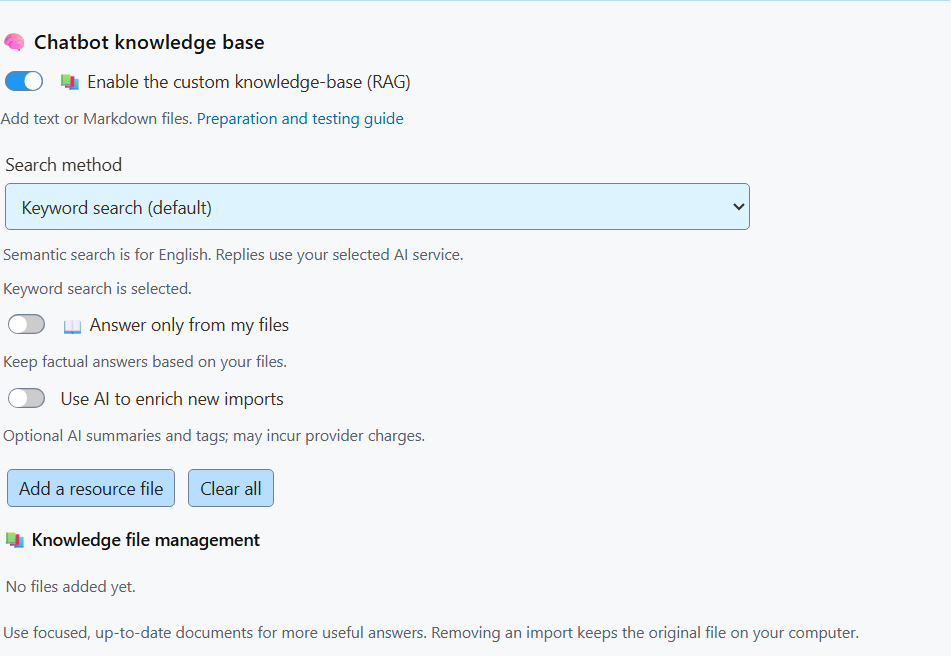
Enable “Answer only from my files” to keep factual answers based on your knowledge base.
Should unanswered comments get a reply?
With “Do not screen out any of the bot’s replies” enabled, the bot can greet users, ask for clarification, or acknowledge missing information. Otherwise, unanswered questions can stay silent.
3. Check before going live
Use overlay-only replies while testing. Ask a question with a known answer, rephrase it, then ask something the files do not cover.
Compare the replies with your source facts. Fix unclear content, replace outdated imports, and repeat the same questions.